Looking for housing?
Explore published options and start a guided housing application.
Apply for housing →
HOUSING OPERATIONS & PLACEMENT SYSTEM
Connect housing discovery, referrals and daily operations. Give every person a clear next step—and every team a better way to manage it.
Browse without an account. Availability is provider reported; an inquiry is not a reservation.
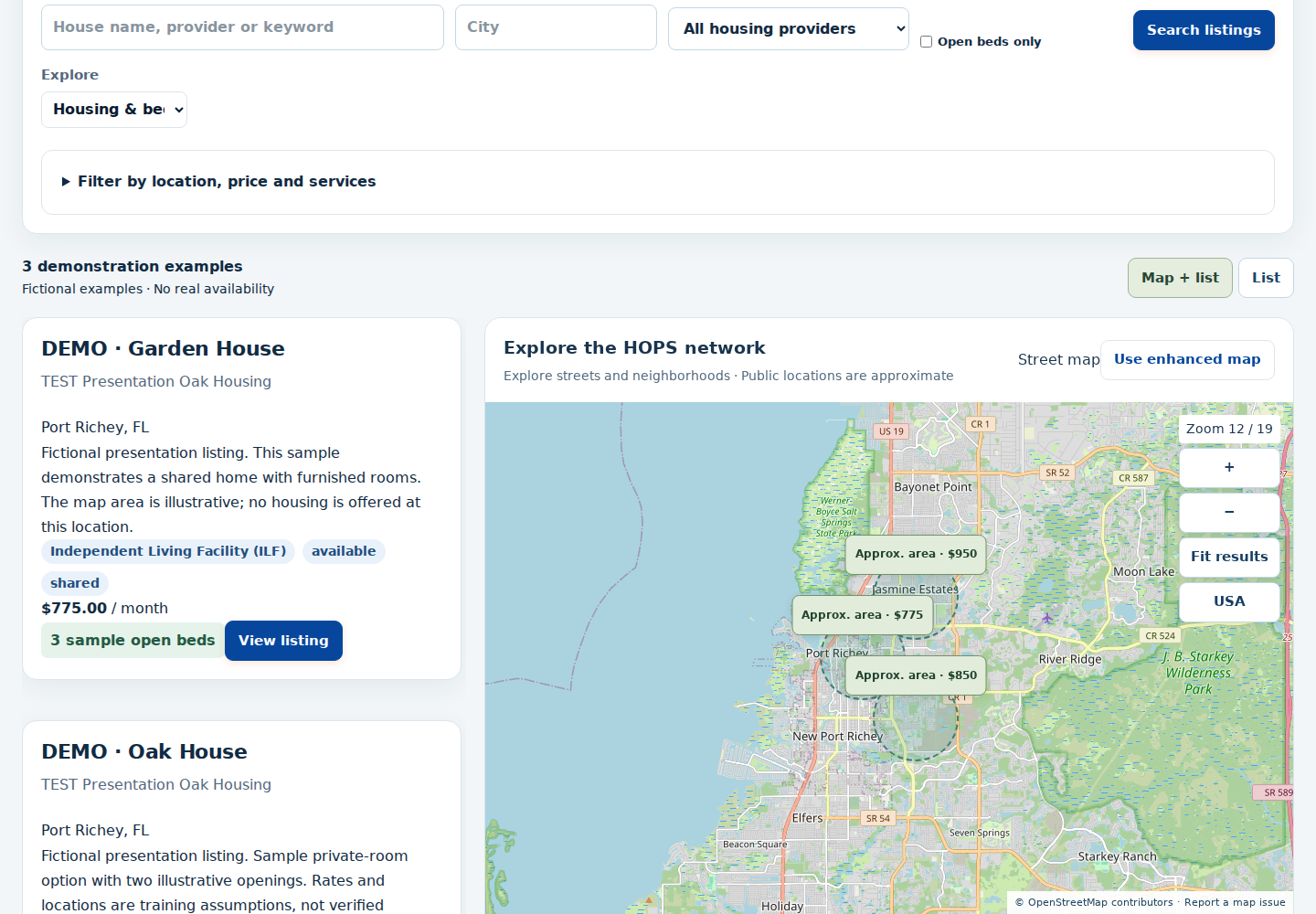
Actual HOPS screen · Fictional demonstration homes, prices and openings.
EXPLORE HOPS. TAKE YOUR NEXT STEP.
Find housing, start a referral or share a property. When you are ready to manage your work, open a HOPS Platform account.
Explore published options and start a guided housing application.
Apply for housing →Choose a published provider to help someone apply, or open your authorized agency workspace.
Refer someone →Use your HOPS provider workspace to prepare a listing and choose which details to publish.
List a property →Browse without an account. One HOPS account connects private applications, authorized workspaces and trial settings.
Housing search → Provider connection → Application → Coordinated next steps
FROM SEARCH TO NEXT STEP
Whether you need housing or help someone find it, start with the information that matters.
Search published housing by city, ZIP, housing type and price. Confirm availability and suitability with the provider.
Search housing →Review available listing details and submit an inquiry or housing application. Providers review requests and confirm eligibility and current availability.
Create your account →Use your approved HOPS workspace for your role. Organization access and private records require the appropriate permissions.
Open your workspace →FOR THE PEOPLE BEHIND THE PLACEMENT
HOPS brings housing operations and placement work into a shared platform, with access shaped by each person’s responsibilities.
Bring your organization to HOPS ↗Account creation does not automatically approve an organization, publish a listing or unlock another provider’s records.
Organize properties and beds, review applications, and manage day-to-day housing operations.
Find housing options and coordinate the next step with participating providers.
Explore options, ask about availability and begin a provider’s application process.
BUILT AROUND YOUR ROLE
For the people who find, provide, manage, maintain and support a place to call home.
Organize properties, rooms and beds alongside applications, tours and resident operations. Give your authorized team a shared place to track availability and the next step.
Properties & beds · Leads & admissions · Resident operations
Discuss your housing operationSearch organizations and community resources, coordinate referrals, and organize cases, tasks and documents within your permitted workspace. Keep the next action and responsible person in view.
Resource directory · Referrals · Cases & services
Open discovery tools in HOPSOrganize property information, professional contacts and acquisition activity. Bring the needs of housing operators into the conversation about a property’s potential use.
Property records · Contacts · Acquisition activity
Discuss your real estate workflowTrack property opportunities and compare rental scenarios using your own purchase, financing, income and expense assumptions. Retain deal notes and revisions as your evaluation develops.
Deal tracking · Rental scenarios · Financial records
Explore the Investor Center with usWork with participating organizations to track maintenance and service jobs, assignments, schedules, progress and costs. Keep a clearer record of the work and its resolution.
Maintenance · Service jobs · Vendor coordination
Discuss service-job coordinationBring occupancy, resident records, maintenance, inspections, tasks and recorded finances into your authorized workspace. Give team members access that fits their responsibilities.
Occupancy · Inspections · Tasks & financial records
Discuss your management workflowExplore published housing, contact providers, find useful resources, and keep track of inquiries and appointments in My HOPS. Public listings show general areas to help protect private homes.
Housing search · My applications · Appointments & resources
Start your housing searchOrganization tools require the appropriate setup, enabled capabilities and permissions. Creating a personal account does not unlock another organization’s records.
WHAT HOPS CAN DO
A practical overview of the existing HOPS tools. Your workspace shows the capabilities available to your account.
Public search + signed-in directories
Authorized organization workspace
Authorized organization workspace
Authorized organization workspace
Personal My HOPS account
Access depends on your role
REAL SOFTWARE. A CONNECTED WORKDAY.
Explore the existing HOPS application. Demonstration records are labeled; they are never advertised as real available housing.
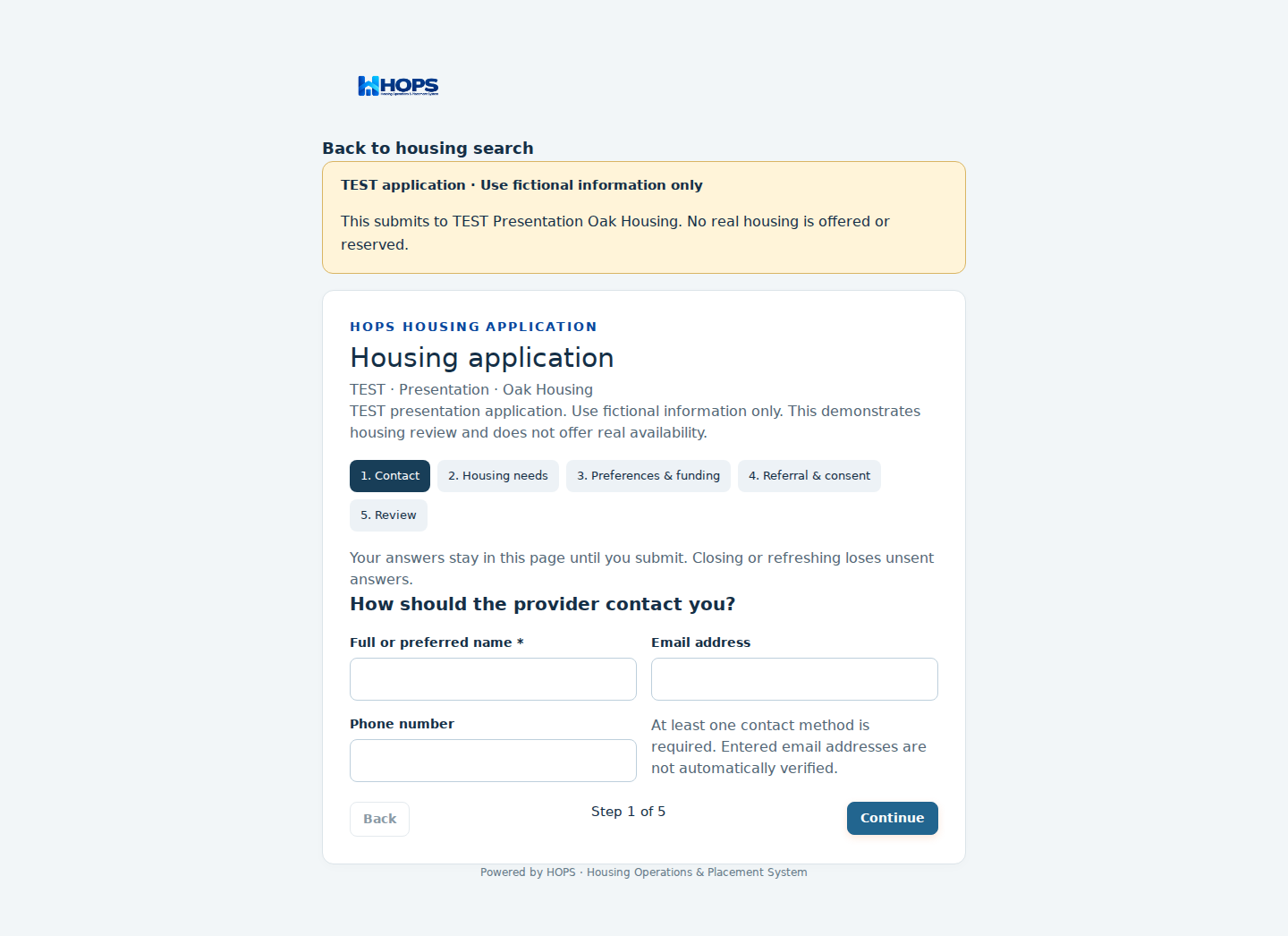
Start a 12-month free trial. $0 during your trial, no card required, and no automatic paid conversion.
$299/month
$999/month
Starting at $1,500/month
Starting at $5,000/month
Monthly prices shown above are the provider baseline. Checkout is available only for a configured, approved price. Pro and Enterprise require an agreed scope. Trial expiration preserves your data; paid access requires an explicit purchase. Already registered? Manage Billing & Subscription →
A THOUGHTFUL PUBLIC FRONT DOOR
A neighborhood view helps people plan. It should not expose a resident’s front door.
Public listings show general areas. For applicants, the exact address is available only after the application is approved and a tour is scheduled for that home. Creating an account alone does not reveal private property details.
Transportation search links use the city or area you enter. They do not send a private housing address to a ride provider.
Open discovery tools in HOPS →SEE THE EXPERIENCE
Explore current provider-published housing and review the location, services and next steps before applying.
GOOD TO KNOW
No. Published availability is provider reported. Contact the provider to confirm openings, eligibility, costs and the application process before making plans or traveling.
Choose Create account, enter your email and a password, and follow the email-confirmation instructions. Then sign in to finish your HOPS Platform profile and open your workspace. New applications and referrals use HOPS Platform. Previous Marketplace records remain available through a protected ownership connection. Organization and staff access require the appropriate permissions.
No. Screenshots on this page include labeled fictional examples. The live Marketplace shows provider-published listings; sample records are never included in live totals.
The current experience offers maps and external transportation searches. Ride services open on their own websites. Street View coverage, transit schedules, pricing and bookings depend on the external provider; a live transit feed and embedded Street View are not included in this launch.
Create your HOPS account or email info@hopsplatform.com to discuss participation. Do not send resident records or medical information by email.
LET’S TALK ABOUT YOUR NEXT STEP
Tell us a little about your work. We’ll help you explore the right workspace and discuss pricing, onboarding and a demonstration.
Looking for a bed? Start with housing search →
Software and partnership inquiries only. Please do not include resident, medical or financial records.LET’S CONNECT THE NEXT STEP